Internal Tools and Platforms

Every business runs on a few spreadsheets nobody will give up. This page covers when a spreadsheet should become software, why most internal tools get abandoned, what an internal platform costs to build and to keep, and how to pick the first one worth doing.

The spreadsheet that runs half your business has one author and no backup.

What are internal tools and platforms?

Internal tools are the software your own team uses to get work done — the job tracker, the approval queue, the pricing calculator, the portal a customer service team lives in all day. They are the systems your operation actually runs on, and in most Australian mid-market businesses a good share of them are spreadsheets. The spreadsheet is usually the right first answer; the problem starts when it grows into a system — twelve tabs, macros, one author, a copy on someone's desktop, and no way to tell who changed what — production software with none of the protections.

A platform is what you get when several of those tools share the same data and the same log-in instead of each holding its own copy of the customer list. That shift is usually worth more than any single tool, because most manual work is people moving data between systems. Where the tool draws on your bought systems rather than replacing them, it becomes an integration job as much as a build — reading from the record systems you already run instead of a re-keyed copy.

What we build as internal tools

The patterns that come up most often, and what each one replaces.

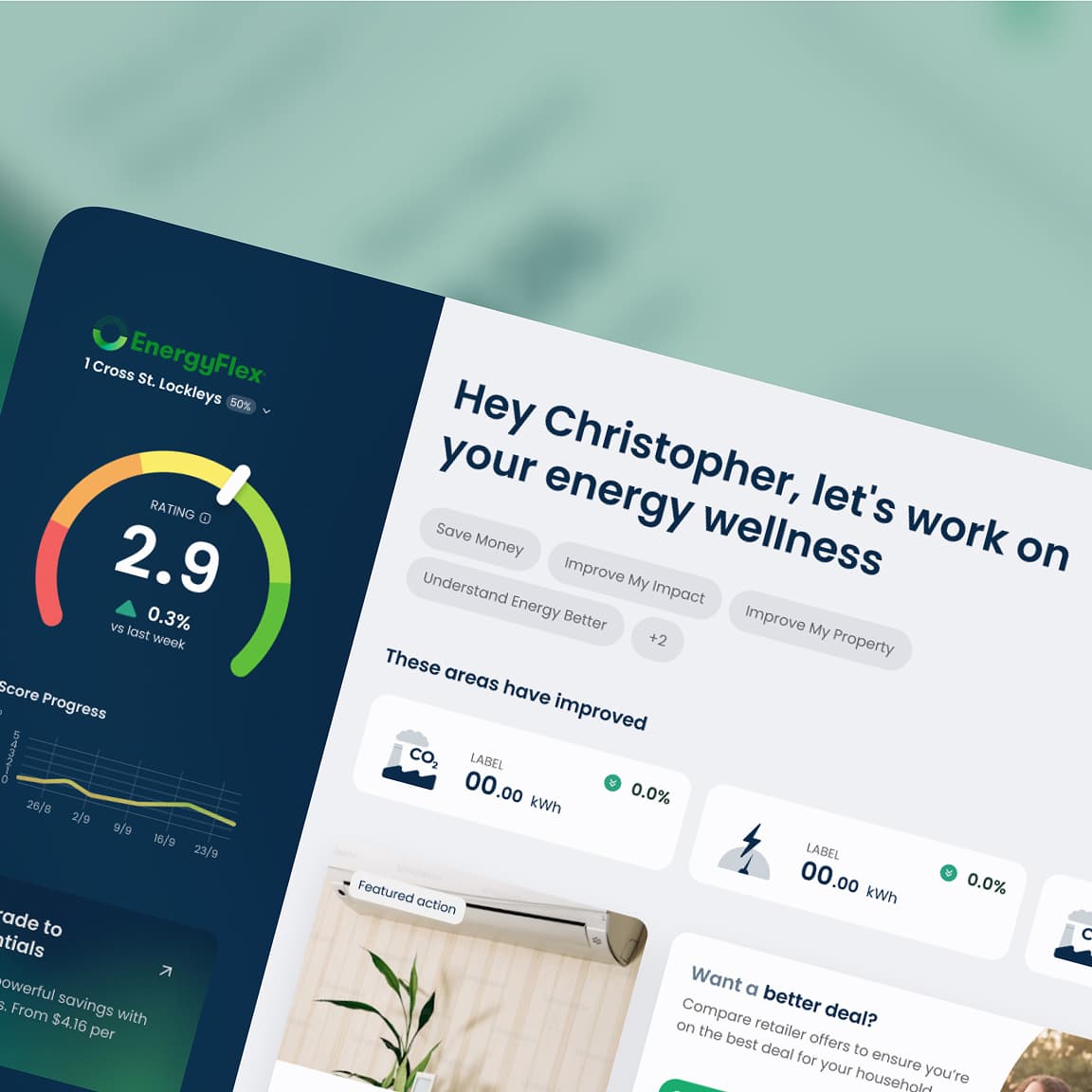
The operations dashboard

One screen answering the questions a manager currently gets by asking three people. Replaces the Monday morning ring-around and the report someone rebuilds by hand each week.

Job and workflow tracking

Work items with an owner, a state and a history, so nothing depends on remembering. Replaces the shared spreadsheet where two people overwrite each other's rows.

Approvals and forms

Requests raised, routed and recorded with who approved what and when. Replaces email chains, and gives you an audit trail you did not previously have.

Quoting and pricing tools

Your actual pricing rules in software rather than in a workbook one person maintains. Usually the highest-value first build, because errors here cost margin directly.

Customer and supplier portals

Giving the other side self-service access to what they keep phoning about. The saving shows up as calls and emails that stop arriving.

The honest constraint

An internal tool has to be faster than the spreadsheet it replaces on day one. If it is slower for the person using it, they keep the spreadsheet and you now maintain both.

When should a spreadsheet become software?

Not as early as most vendors will tell you. A spreadsheet used by one or two people, for something that changes shape often, is doing a job software would do worse, and building too early takes away the flexibility that made it useful. The triggers worth acting on are about risk and scale: more than a handful of people needing it at once, a number that costs real money when wrong, a compliance or customer commitment resting on it, or one person who is the only one who understands it. Any of those, and the spreadsheet is production software without version control, access rules or a backup.

The other trigger is repetition. If someone spends a day a week moving data from one system into a workbook and back out again, that day is the business case, and it usually pays for the build inside a year. We will also tell you when the answer is a product: build where the tool encodes how you specifically operate; buy where it doesn't.

What does an internal tool cost?

It starts with a Rapid Insight Workshop at a fixed $9,000 + GST. We map the work as it happens now, count the hours going into the manual steps, and come back with the two or three tools worth building first and what each would save. Some of what we find is usually fixable without software at all.

A focused first tool is a fixed-price Amplify project. The scope that works is one process, end to end, for one team — narrow enough to ship in weeks and be judged on whether it is used. Broad platforms sold as a single phase are the most reliable way to spend a year and launch something nobody adopts.

Budget for the second year, not just the build. Internal tools live in a changing operation, so they need small changes regularly or they drift out of step with the work, and a tool with no owner and no budget after launch has an expiry date. Where a set of tools becomes a platform used across the business, that ongoing capability runs as an Apex partnership — a standing team that keeps the tools matching how the operation actually runs.

How an internal tool project runs

Watch the work (1–2 weeks)

We sit with the people doing the job rather than the people describing it. The gap between the documented process and the real one is where most of the requirement lives, and it is never in the brief.

A CodeFish developer reviewing a project's commit history on screen

Ship one process end to end (6–10 weeks)

One team, one workflow, in production and in daily use. A narrow tool that is used beats a broad platform that is being evaluated, and it earns the budget for the next one.

A designer reviewing a website layout in Figma on a large monitor

Connect it, then extend

Once the first tool is trusted, it starts reading from the systems of record instead of copies, and the next process joins it on the same log-in and the same data.

Two CodeFish team members in discussion across a meeting room table, one taking notes

Internal tools questions we get asked

When more than a few people need it at once, when a wrong number in it costs real money, when a compliance or customer commitment rests on it, or when one person is the only one who understands it. Any one of those and you are running production software with no version control, no access rules and no backup. Below that line, the spreadsheet is often still the better tool.

Almost always because they are slower than what they replaced for the person using them, or because nobody owned them after launch and they stopped matching how the work is done. Both are avoidable. Build for the person doing the job rather than the manager reporting on it, and fund small changes for the first year — that is the difference between a tool in use and a tool in a folder.

Buy where the process is standard and someone already sells it — accounting, payroll, HR, CRM. Build where the tool encodes how you specifically operate, which is usually the process that has resisted every product you have tried. If a product covers eighty per cent, the honest question is whether the other twenty is where your margin comes from.

That is the usual answer, and it is cheaper than replacing anything. The tool reads from and writes to your systems of record through their APIs, so there is one copy of the truth and no re-keying. Where a system has no usable API, that constraint gets found in the workshop, not halfway through the build.

One process, one team, in production in weeks. That is deliberately narrow — a small tool in daily use tells you more about what to build next than any amount of planning, and it is a decision you can reverse cheaply if the answer is no. Broad platforms bought as a single phase are the most common way this work fails.

You do, in full, including the repository and the deployment. That is the same across everything we build. An internal tool you cannot take to another developer is a dependency you did not agree to take on.

Ready to build something great?

Local partners, global standards – full service design and development.